With online writing, every word counts. But instead of fussing and obsessing over every word, writers can use AI to get a head start on content creation, essentially ramping up their production without ramping up effort.
I’ve been using AI to ramp up my writing for a while now, and it’s been more of a blessing than a curse. Of course, how you use AI for writing can greatly skew your results. Instead of asking ChatGPT to write or rewrite content for you, get strategic with your prompts to improve your efficiency and creativity.
Not sure how to start prompting? Try these seven AI-powered writing hacks that I’ve used to help me get past writer’s block, hone in on the keywords that mean the most to my readers, and reveal trends that influence my future content. Let’s go.
7 AI prompts for writing SEO-optimized content the easy way
From uncovering untapped keywords that boost SEO rankings to crafting headlines that demand clicks, these prompts turn AI into your brainstorming and writing buddy.
1. Keyword research prompt
Whether you write for SEO or not, keywords can be powerful tools when starting to research your story. Understanding the intent behind keywords sheds light on what kind of answer or information your readers are looking for.
For example, the keyword “best AI writing prompts” shows the reader is looking for a list of pre-created prompts they can use. But the keyword “how to craft AI writing prompts” shows you the reader wants to understand the why and how behind those prompts. Both keywords deal with AI writing prompts, but each one demands a wholly different type of article.
There are AI-powered tools dedicated to fully optimizing your articles for SEO keywords like Clearscope and Surfer SEO. But if you’re a solopreneur, those might be a little outside your budget.
Enter ChatGPT, your free AI assistant. Here’s an example prompt for asking ChatGPT to brainstorm a list of SEO keywords for your article:
Can you help me brainstorm relevant keywords for my article about [topic]?

Keep in mind that, because ChatGPT doesn’t have access to real-time data, it can’t tell you the current search volume for each keyword. But you can use free keyword research tools like Moz Keyword Explorer to pull search volume and other data.
Additionally, you can take this a step further by asking ChatGPT more questions about certain keywords. For example:
What are some Google People Also Ask questions for the keyword [keyword]?
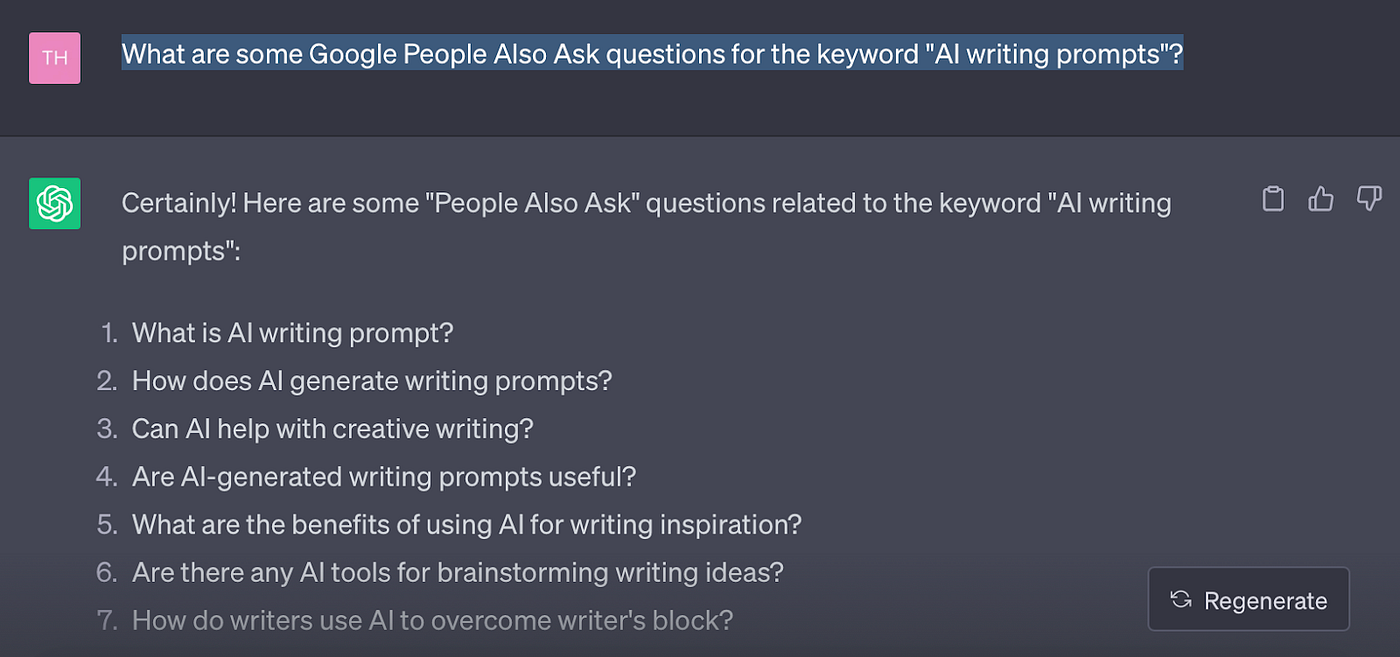
This prompt pulls in a handful of questions related to the keyword you asked ChatGPT to analyze. Google’s People Also Ask section of the search results is an excellent place to get more insight into your readers’ intent and additional questions they may have.
2. AI prompt for headlines
Headlines are an area of writing where a lot of people struggle, myself included. How do you get your point across while also enticing people to click and read in such a small space?
Fortunately, ChatGPT can help us kick-start the process of crafting headlines:
I need a captivating title for my article. Can you propose some that incorporate [keyword]?

Of course, none of these are perfect. But that’s okay. What we want to do here — and with any AI-generated ideas — is to riff off of the results. Let’s say you like idea number 2, “From Code to Composition: Crafting Stories with AI Writing Prompts.” You can customize it in multiple ways, such as:
- How To Craft Stories With AI Writing Prompts
- # AI Writing Prompts for Crafting Compelling Stories
- How To Craft AI Writing Prompts to Jump-start Your Next Story
Sometimes I even borrow elements of multiple AI-generated ideas to create a headline. The key is you’re not starting from scratch, which makes it easier to get creative.
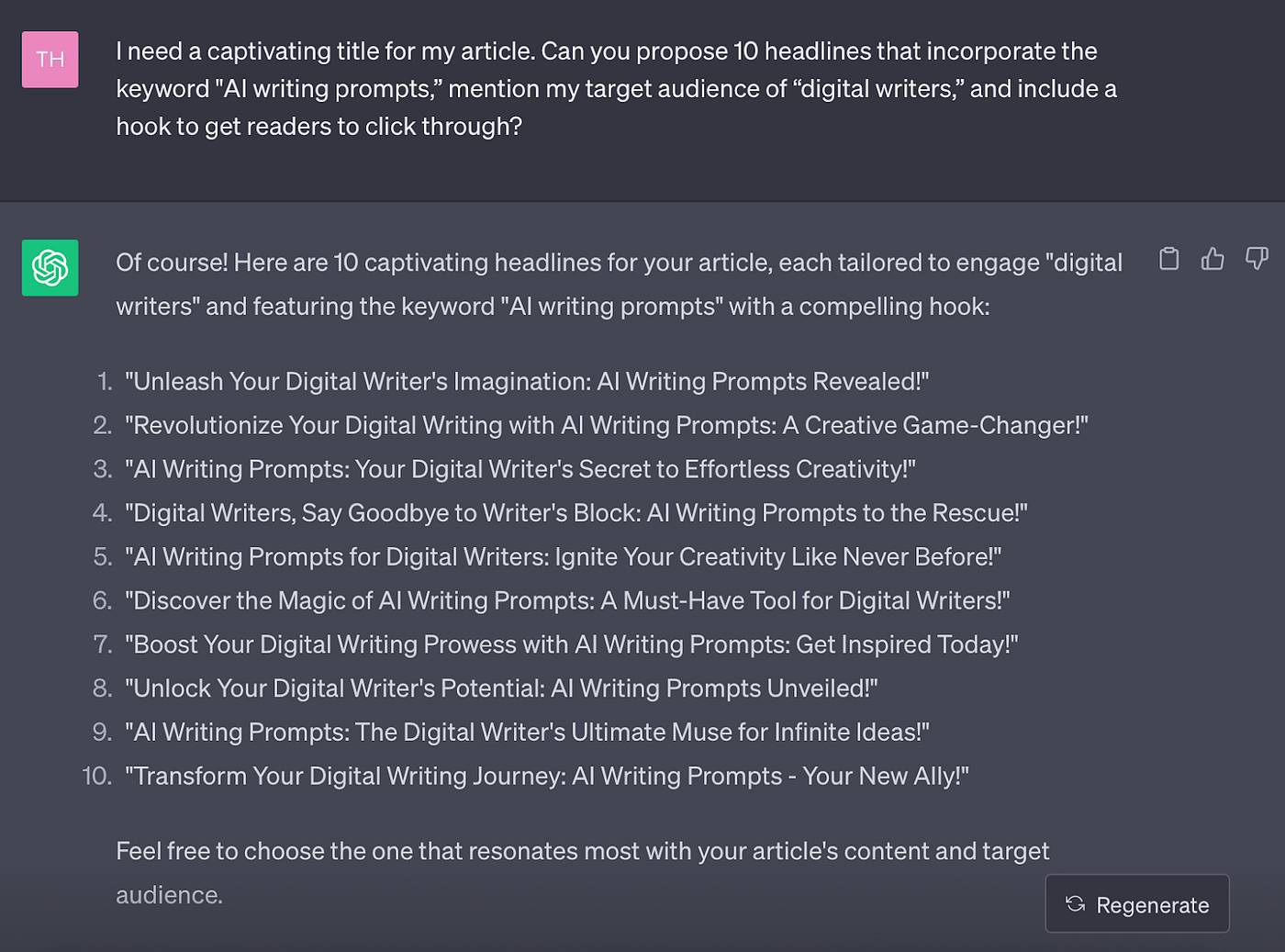
Headline prompts are another great place to provide ChatGPT with additional directions, such as defining your audience — or asking ChatGPT to define an audience for you.
I need a captivating title for my article. Can you propose 10 headlines that incorporate the keyword “[keyword],” mention my target audience of “[target audience],” and include a hook to get readers to click through?
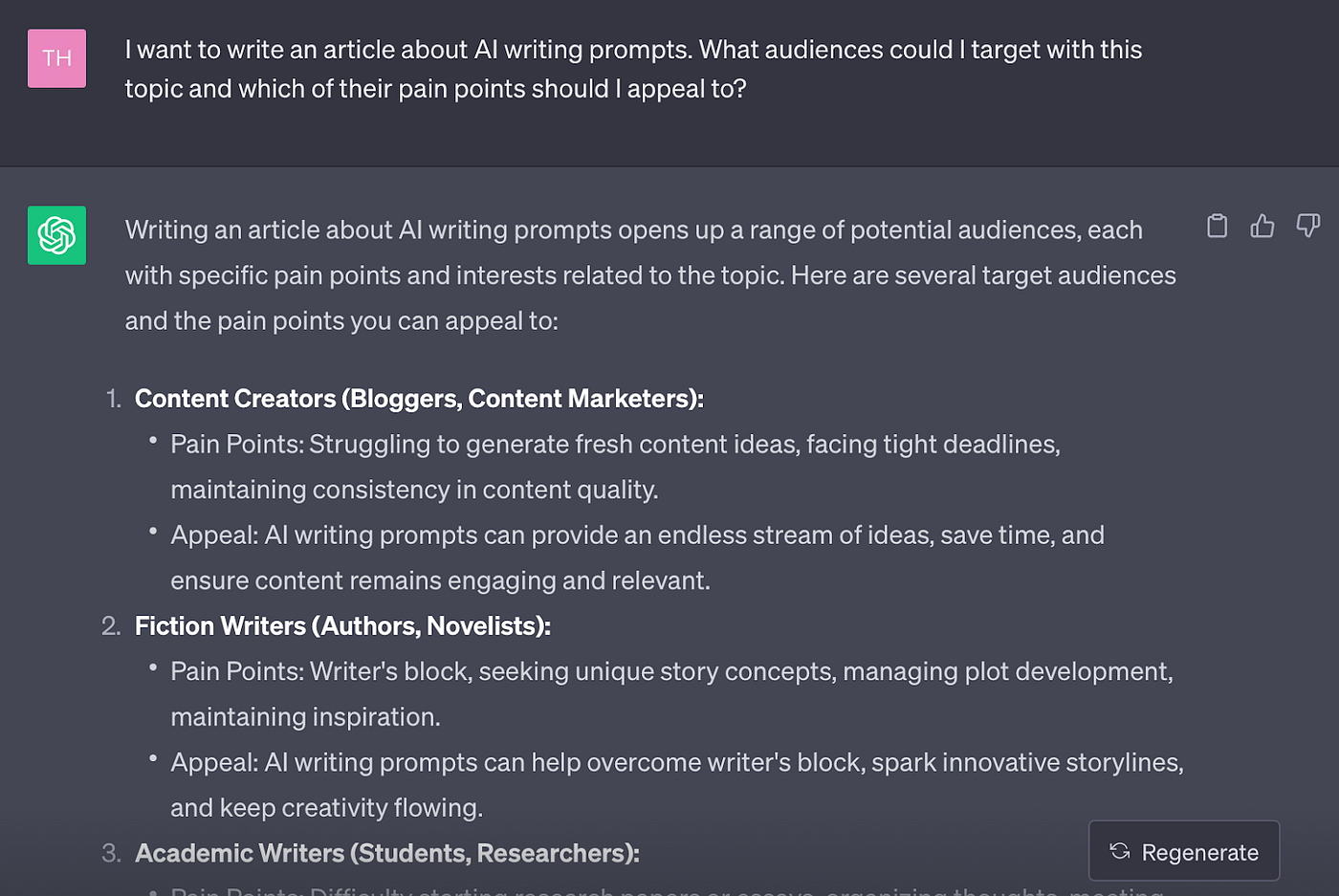
And here’s a prompt asking ChatGPT to help you define your audience (and how to write an article for them):
I want to write an article about [keyword]. What audiences could I target with this topic and which of their pain points should I appeal to?
3. Meta description ChatGPT prompt
One task I’m relieved to pass on to AI is writing meta descriptions. There’s something so prescriptive about these that I always struggle to come up with something I feel is catchy and incorporates the keyword.
This prompt is one I’ve been using a lot. I found you’ll need to define the proper meta description length for ChatGPT, otherwise you’ll get a full paragraph.
Suggest 5 compelling meta descriptions for my article that include the keyword [keyword]? The meta description should be no longer than 160 characters long.
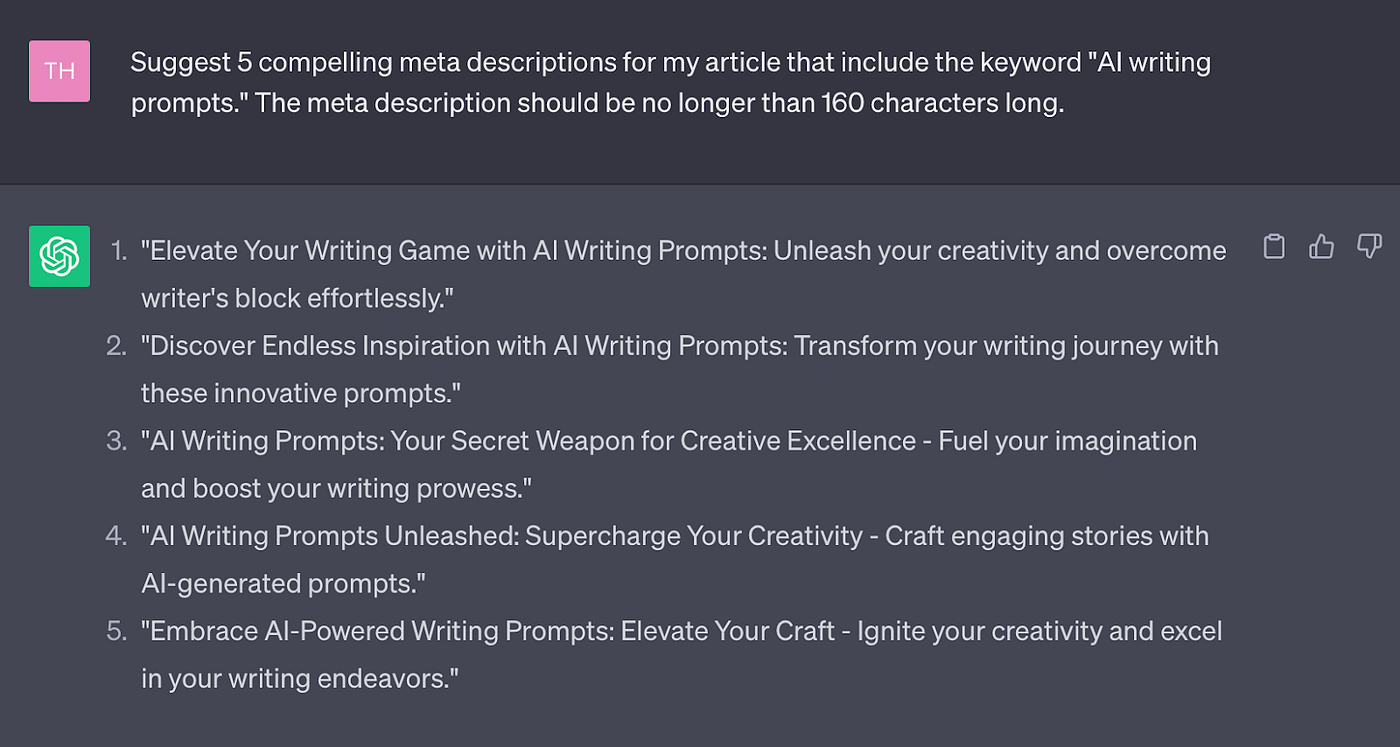
Again, you’ll probably want to riff off of what ChatGPT comes up with here, but you’ll have plenty of ideas to get you started.
4. ChatGPT introduction starter prompt
Intros and conclusions can become the enemy of even the best writer. Usually, I leave these for last so I have a full understanding of what my article covers and the angle it takes.
If you still need help getting started with your intro even after the rest of your article is written, try this prompt.
I want to write an engaging introduction for my article about [keyword]. Please come up with 5 intro ideas that are 2–3 paragraphs each. Each intro idea should clearly lay out the objective of the article and hook the reader into reading more within those 2–3 paragraphs. The tone should be casual and helpful, but also to the point and clear.
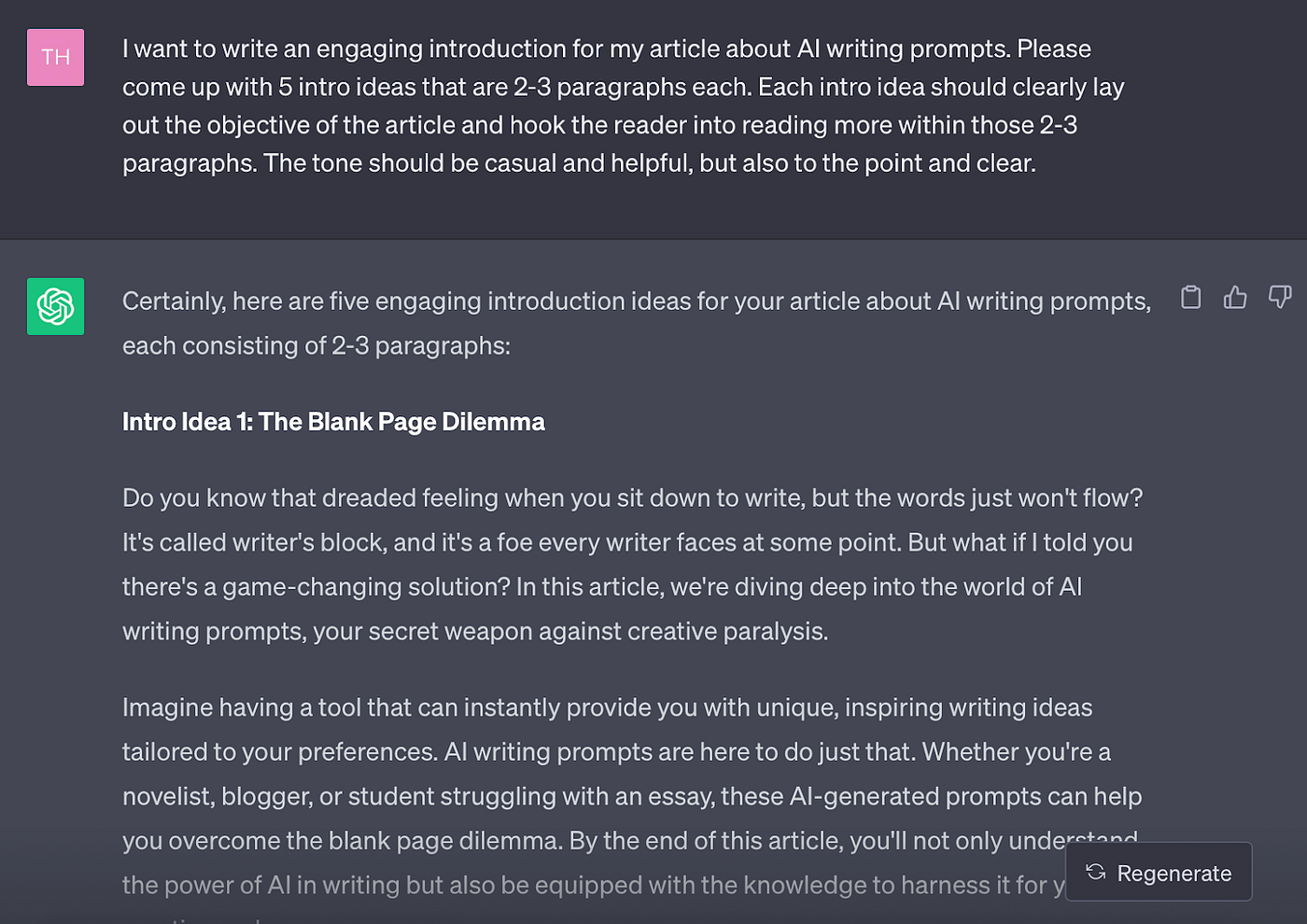
As you can see, you’ll likely need to adjust for voice and tone (I tend to remove the exclamation points ChatGPT is so fond of) and add more paragraphs. Breaking down walls of texts into separate paragraphs is called “chunking” in the UX world and can keep readers engaged with your writing.
5. Article outline AI prompt
Outlining is an excellent way to beat writer’s block. As soon as you get something on the page, any creativity blocks tend to peace out.
Next time the blank page is staring you in the face, try this prompt to get your mind in writer mode:
Can you propose an outline for an article about “[keyword]”? Please break sections down into H2s, H3s, and H4s and provide bullet points on the content each section should cover.

I suggest also incorporating additional keywords that ChatGPT (or your keyword research tool) dug up for you in the subheadings as well. You can also use the Google People Also Ask questions to hone in on sections and information your readers would find helpful.
6. AI editor prompt
If self-editing makes your eyes cross, you can ask AI for help. Use this prompt to ask ChatGPT to edit your draft using whichever style you prefer — AP, MLA, APA, Chicago, etc.
Note that this prompt comes in two parts. Here’s the first one:
You’re an editor who uses [style] when editing articles. I will share a rough draft article with you. Taking one [H3] section of the article at a time, please edit my article for grammar and style errors, and highlight areas for improvement. After each highlighted edit, note what should change and the reason why, according to [style]. Do you understand?
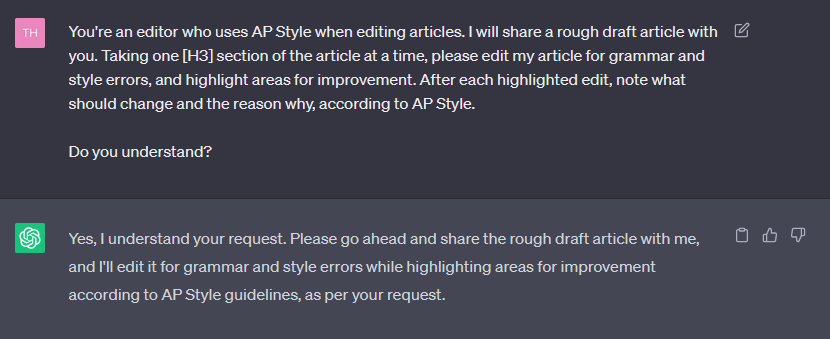
Note that I chose to ask ChatGPT to analyze each [H3] section because my draft is primarily broken down into H3 sections. You can choose to have the AI analyze H2 sections or whatever makes the most sense for how your article is structured.
The second prompt is where you’ll paste your draft. Here’s what ChatGPT came up with in terms of edits for mine:
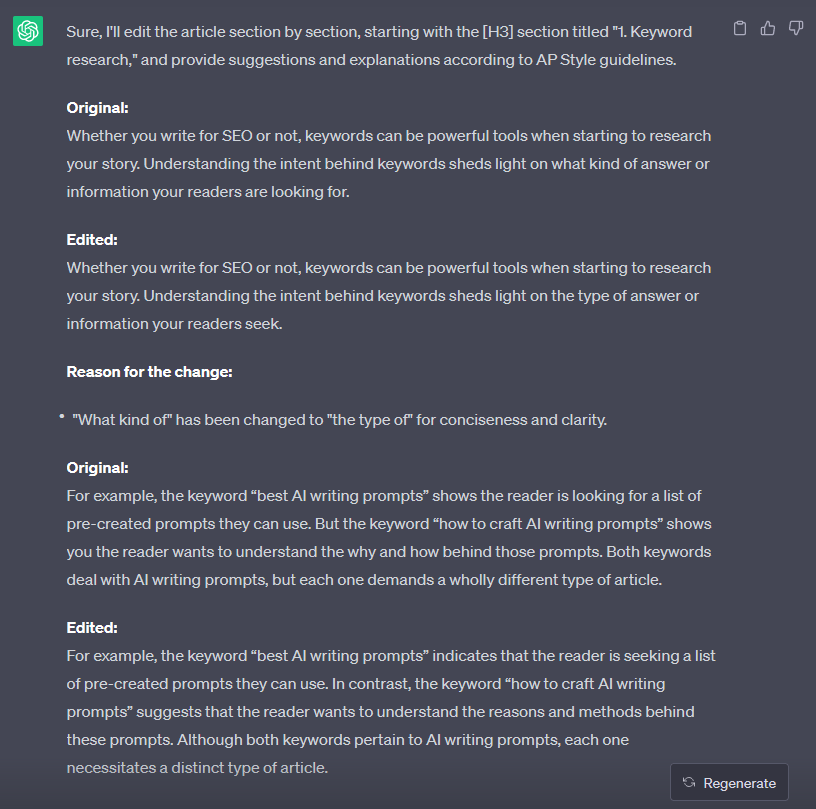
Again, take these edits with a grain of salt.
7. AI call to action (CTA) prompt
Calls to action, or CTAs, are key if you’re hoping your readers take a certain action after reading your article. This could be subscribing to your newsletter, signing up for a Medium membership, purchasing something through your affiliate link, or a myriad of other actions.
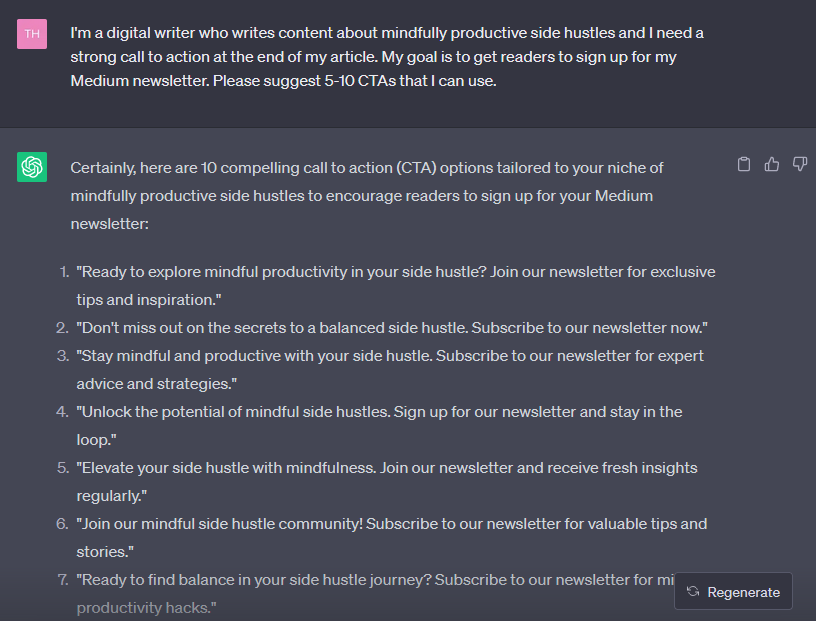
You can tell ChatGPT what action you want your readers to take and it will brainstorm some CTAs for you using this prompt:
I’m a [your “job” title] who [what you do — get as specific as possible] and I need a strong call to action at the end of my article. My goal is to [your goal]. Please suggest 5–10 CTAs that I can use.
Check out these CTA starting points ChatGPT brainstormed for me:
I fully believe AI makes an excellent assistant when it comes to creative work like writing. But remember, AI isn’t flawless and these hacks are only a way to get started. You’ll need to add your personal, human touch to transform these starting points into content that resonates, engages, and gets your readers to take action.